
Guide · Watch & sync
How to Connect Suunto, Polar, COROS or Amazfit to 42Runs
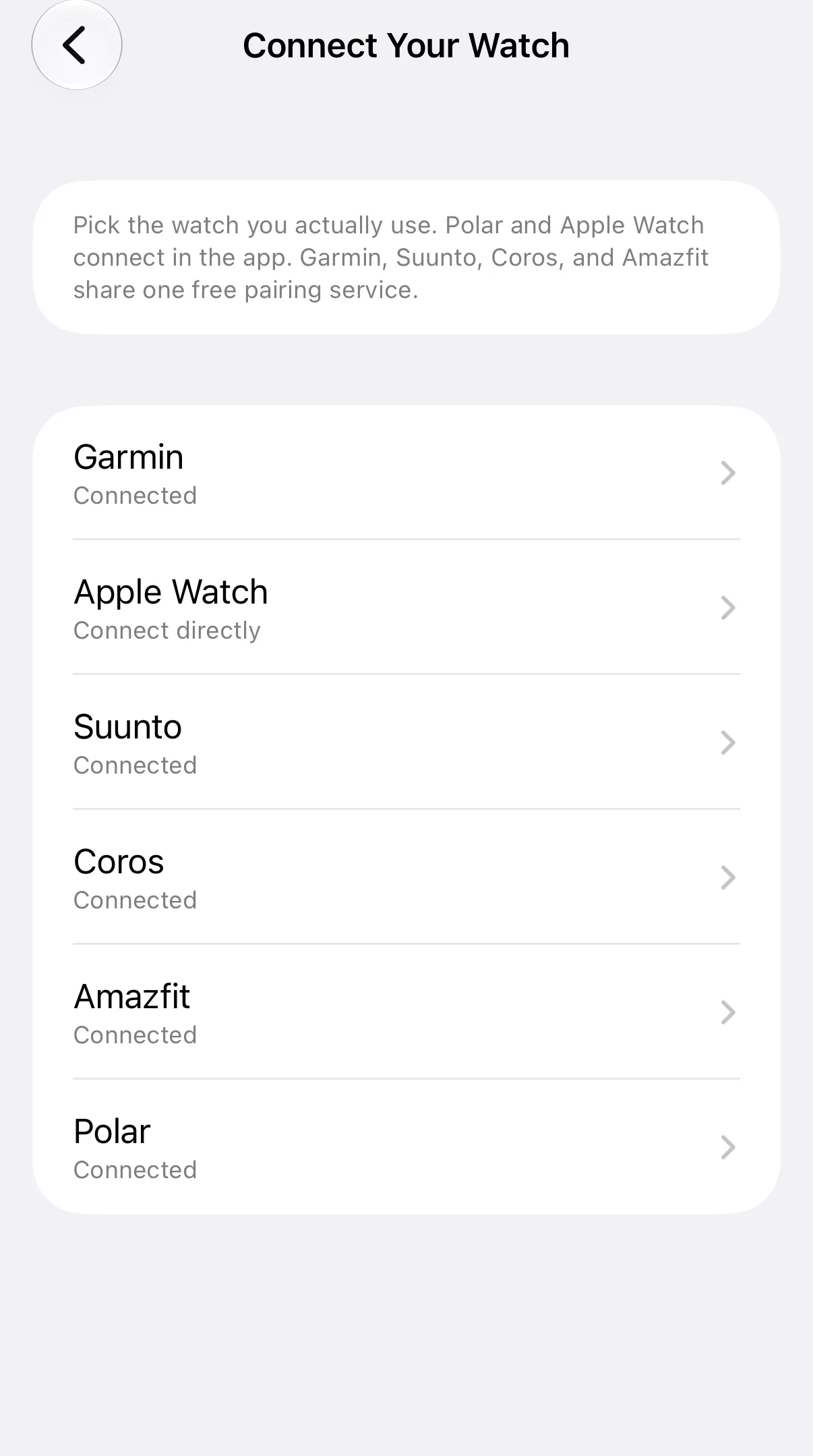
Suunto, Polar, COROS and Amazfit, and Garmin, connect through a free pairing service, intervals.icu. Setup has two parts and takes about a minute. They share one connection: connecting one covers the others, and disconnecting watch sync from any of them stops all of them until you reconnect.
Polar cannot receive planned workouts from other apps. Completed Polar runs can still come back. Garmin and Apple Watch have their own guides: pick your watch.
Part 1: Connect 42Runs to the pairing service
- Open Settings → Connect Your Watch and choose Suunto, Polar, COROS or Amazfit — or Garmin.
- Tap Continue. On the next screen, tap Continue again.
- Sign in to your intervals.icu account, or create a free account on the sign-in screen if you do not have one yet.
- Approve the connection.
When the connection is made, the brand screen shows Connected, with Open Connections for the next step.
If signing in does not work, tap Having trouble signing in? at the bottom of that screen. You can then connect manually with your intervals.icu Athlete ID and API key, which you can find on the intervals.icu website under Settings → Developer Settings. When copying these values, make sure no spaces are included at the start or end. Our step-by-step guide to connecting intervals.icu walks through the manual method.
Part 2: Link your watch brand
After connecting, 42Runs shows the One more step screen. Tap Open Connections to open the Connections page on intervals.icu, then choose the same brand as in the app:
- Suunto — sign in to your Suunto account and approve the connection.
- Polar — listed as Polar Flow. Sign in to Polar Flow and approve. Polar cannot receive planned workouts; completed runs can still come back.
- COROS — sign in to your COROS account and approve the connection.
- Amazfit — listed as Amazfit (Zepp). Link the same Zepp account you use on your phone. Planned workouts currently reach some models only, such as the T-Rex 3 Pro and Balance 2. Other models still send completed activities back.
- Garmin — sign in to Garmin Connect and approve the connection.
Make sure all the boxes for your brand are checked, then return to 42Runs and tap Done.
You can open the same page at any time from the brand’s screen in Settings → Connect Your Watch using Open Connections.
Already use intervals.icu with your watch, for example because you connected it or Strava there before? Then your watch is already linked, and you are done after Part 1.
What happens once you are connected
- Workouts reach your watch when that brand can receive them. Polar cannot. Workouts you add to the calendar are sent automatically. For a training plan, 42Runs sends one week at a time, staying one week ahead.
- Completed runs come back after the activity syncs from your watch to its own app, then to the pairing service, then to 42Runs.
Syncing is not instant. This usually takes a few minutes.
Troubleshooting
A workout does not appear on my watch. Check the sync status on the workout in 42Runs. If it shows as not synced, open Settings → Connect Your Watch and check that your brand shows Connected. If it shows as synced but the workout is not on the watch, make sure your brand is linked on the Connections page (Part 2) and that your watch has synced with its own app recently. Polar watches cannot receive planned workouts.
The screen says “Update permissions”. Your connection is missing one permission, so your heart-rate zones from 42Runs cannot reach your watch. Tap Update permissions: this keeps your connection, plans, and history exactly as they are.
A completed run is not marked as done. Make sure the activity has synced from your watch to its own app, and allow a few minutes for it to reach 42Runs.
Still stuck? Email contact@42endurance.com with your watch model and what you see in the app.
Disconnecting
Open Settings → Connect Your Watch, choose Suunto, Polar, COROS or Amazfit, and tap Disconnect watch sync. This ends the link between 42Runs and the pairing service for all pairing-service brands. Your plans and history stay as they are, and your watch remains linked on the Connections page unless you remove it there as well.